UI Cheats Sims 4: Easy Guide to Clickable Cheats for Better Gameplay

UI cheats Sims 4 are loved by players who want quick control over their game without typing long commands. The popular UI Cheats Extension mod is created so that simple mouse clicks on the screen activate cheats instantly. Many Sims 4 fans use it to make daily life in the game smoother and more fun.
It is noticed that this mod saves time during long play sessions. Household needs, money, skills, and relationships are adjusted with ease. The tool is appreciated because it feels natural and does not break immersion too much.
What is the UI Cheats Extension for Sims 4?
UI Cheats Extension is a script mod that adds clickable options directly on the game’s user interface. Needs bars, skill panels, money counters, and relationship panels become interactive for instant changes. It is designed by Weerbesu and is kept updated after most game patches.
The mod works alongside the base game and many other custom contents. It is installed as two files – one package and one script file. Players are able to enjoy faster editing without opening the cheat console repeatedly.
Why Players Use UI Cheats in Sims 4
Long building or storytelling sessions are made easier when quick adjustments are available. Sims 4 UI Cheats allow players to fix low motives, boost careers, or set perfect relationships in seconds. It is reported that the mod helps when testing new ideas or recovering from unexpected game events.
Creative freedom is increased because the focus stays on fun stories instead of grinding. The tool is especially useful for new players who are still learning game mechanics. Many experienced users keep it active for everyday convenience.
Also, if you want to know about Sims 4 interesting challenges, then check out this detailed article that will help you to solve problems in the Sims world.
Benefits of Clickable Cheats Over Traditional Commands

Traditional cheats require opening the console and remembering exact codes. Sims 4 UI Cheats removes that step by letting players right-click or left-click on visible elements. Changes are applied immediately and feel more intuitive.
It is understood that visual feedback makes the process less error-prone. The mod supports many different panels in the interface. This approach is preferred by those who want a cleaner gameplay flow.
Moreover, if you are looking for other top no-wifi games that will give you fun without an internet connection, then check out this informative guide.
How to Download and Install UI Cheats Sims 4 Safely
The latest version of UI Cheats Extension is usually found on the creator’s Patreon page. The zip file is downloaded and then extracted to reveal the package and ts4script files. These files are placed directly or in one subfolder inside the Sims 4 Mods folder located in Documents > Electronic Arts > The Sims 4 > Mods.
It is important to keep script files no deeper than one subfolder level. The game must be restarted after placement. Correct installation is confirmed when the files appear under Custom Content and Script Mods in the game options.
Moreover, discover why Tesla is spending a billion dollars on AI, and what its plans are in the field of technology.
Step-by-Step Installation Process
First, script mods and custom content are enabled in Game Options > Other. The game is then closed and reopened to load the new files properly. It is advised that the mod folder is organized neatly to avoid conflicts with other content.
Any issues after installation are often fixed by removing and re-adding the files. Updates from the creator are checked regularly because new game patches can temporarily break the mod. Safe sources are always used to prevent corrupted downloads.
Additionally, explore this remarkable Oblivion Remastered guide to understand the crime system and how to resist being arrested.
How to Use UI Cheats Extension in Sims 4

Once loaded, the mod activates automatically in live mode. Left-clicking the household funds adds 1,000 Simoleons each time. Right-clicking opens a box where any exact amount is entered for money, including special currencies.
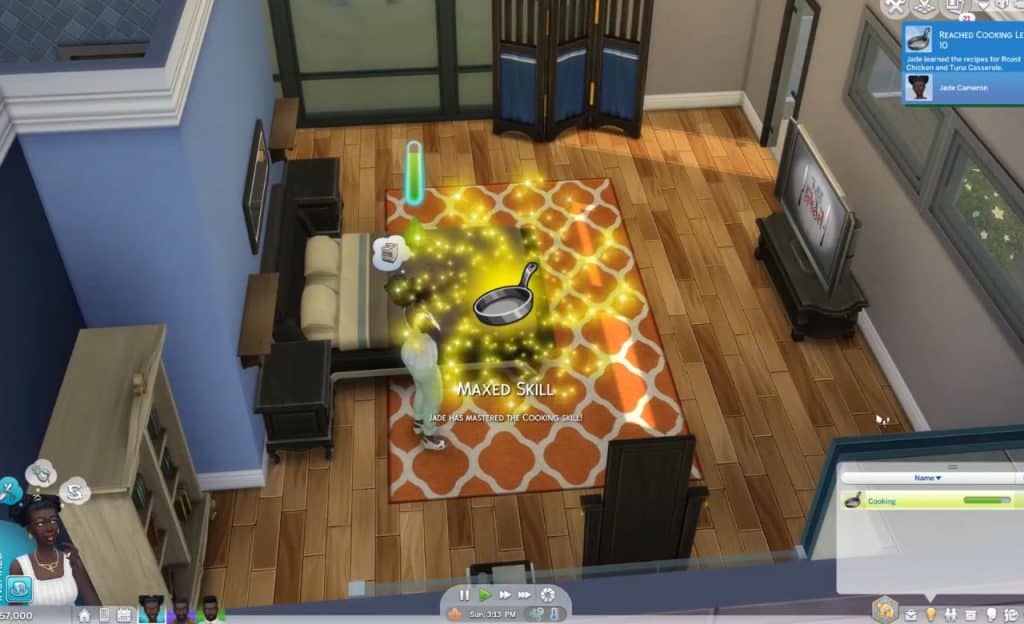
It is simple to adjust needs by clicking on the motive bars and setting desired values. Skills are leveled up or down with right-clicks on the skill panel. The same method works for relationships by clicking on other Sims or the relationship panel.
Furthermore, discover how to find the wifi passwords on various devices for seamless streaming.
Common Cheats You Can Perform with UI Cheats
Money management is handled by clicking the funds display. Needs are fulfilled or set to specific levels through the motive panel. Skills, careers, and aspirations are edited directly from their respective UI sections.
It is possible to modify relationships between any Sims in the world. Aspiration goals are completed instantly when needed. These features cover most everyday situations players encounter.
Editing Needs, Skills, and Relationships Easily
Needs bars are right-clicked to open value input boxes for quick setting. Skills panels allow level changes with simple clicks and number entry. Relationships are adjusted by right-clicking on the target Sim or the green relationship bar.
Friendship and romance values are set independently from -100 to 100. Relationship bits are added through the panel for deeper control. The process is fast and works on both active and inactive household members.
Furthermore, stuck in sharing wifi passwords on iPhone with your friends, then learn in-depth about this informative guide and resolve all issues.
Compatibility and Updates for Sims 4 UI Cheats in 2026
The mod is regularly updated after major patches to maintain functionality. It is known to work with recent game versions when the latest files are used. Script mods like this are usually among the first to receive fixes from their creators.
It is recommended that players check the Patreon or reliable mod trackers after every update. Temporary breaks can happen, but are normally resolved quickly. Keeping the game and mod aligned prevents most technical problems.
Also, if you are a fan of horror and thrilling games, then learn about Until Dawn on the PS5 version, which will make you crazy and addicted with its enhanced story and graphics.
What to Do When UI Cheats Stop Working After a Patch
The game is launched without the mod first to test basic stability. Files are then re-downloaded from the official source and reinstalled carefully. Cache files are sometimes cleared if strange UI glitches appear.
It is advised not to mix very old versions with new patches. Community forums and broken mod lists are consulted for confirmed working builds. Patience during update weeks helps avoid frustration.
Risks and Best Practices When Using UI Cheats Mod
Game saves are always backed up before adding any new script mod. UI Cheats Sims 4 is generally considered safe when downloaded from trusted sources. However, all third-party mods carry a small risk of conflicts or rare crashes.
It is understood that overusing cheats may reduce personal challenge for some players. The mod is disabled temporarily when testing vanilla gameplay. Responsible use keeps the experience enjoyable for long-term savings.
Additionally, learn about whether Roblox is really shut down now. The real truth with evidence in this detailed guide.
Tips to Avoid Common Issues with the Mod
Only the latest compatible version is kept in the mods folder. Other heavy script mods are tested one at a time for conflicts. The game options are double-checked to ensure script mods are enabled.
It is suggested that the mod folder is cleaned regularly of old or duplicate files. Regular backups of the entire Sims 4 folder protect precious saves. These habits make modding smoother and more reliable.
Alternatives to UI Cheats for Sims 4 Players
MC Command Center is a popular all-in-one mod that includes many cheat functions along with deeper story control. Other smaller mods focus on specific areas like needs or careers. Some players combine lighter tools when they do not need full UI clicking.
It is noted that base game cheats are always available through the console for basic needs. Custom content and gameplay mods are chosen based on individual play style. The community offers many options for different preferences.
When to Choose Other Mods Instead
MC Command Center is selected when broader NPC control and pregnancy options are desired. Simpler motive mods are used if only tweaking is required. Pure story-focused players sometimes prefer no-cheat enhancements.
It is recommended that beginners start with one or two mods only. The UI Cheats Extension is often paired with MC Command Center for maximum flexibility. Personal testing helps find the perfect combination.
Key Points About UI Cheats for Sims 4 Mod
Important facts are listed here for quick understanding and safe use.
- UI Cheats Extension adds clickable options on money, needs, skills, and relationships.
- The mod requires both a package file and a ts4script file placed correctly.
- Script mods must be enabled in game options and kept no deeper than one subfolder.
- Regular updates from the creator are needed after game patches.
- Household funds can be increased by left-click or set exactly by right-click.
- Needs and skills are adjusted instantly through their panels.
- Relationships between any Sims are edited with simple clicks.
- Always back up saves before installing or updating any script mod.
- The mod is safe from trusted sources, but used responsibly to keep gameplay fun.
Frequently Asked Questions
Where is the safest place to download UI Cheats for Sims 4?
The official Patreon page of the creator weerbesu is the recommended source for the latest version. It is advised to avoid random third-party sites that may offer outdated or modified files. Direct download from the trusted creator page reduces risks.
Does UI Cheats Extension work after every Sims 4 update?
The mod is usually updated shortly after major patches, but short breaks can occur. Players check the creator’s page or community trackers for the newest compatible build. Most issues are resolved within days of a game update.
Can UI Cheats be used on any Sim in the world?
Yes, the mod works on active household members as well as townies and other Sims. Relationships and needs are edited by clicking on the desired character. This feature gives great flexibility for storytelling.
Will using UI Cheats corrupt my save file?
The mod is not known to corrupt saves when installed correctly. It is still wise to create regular backups of the saves folder. Responsible use and keeping the mod updated minimizes any potential problems.
Is UI Cheats better than typing console commands?
Many players find clickable UI cheats faster and more convenient than typing codes. The visual interface reduces mistakes and keeps focus on the game. Both methods are available, and the mod simply makes common actions quicker.
Conclusion
UI Cheats Sims 4 brings convenient, clickable controls that enhance daily gameplay for many players. It has been shown that the mod simplifies money, needs, skills, and relationship management without complicated commands. The tool is valued for saving time while keeping creative storytelling alive.
Careful installation and regular updates ensure the best experience across different game versions. Players are encouraged to back up their saves and enjoy the extra freedom responsibly. With proper use, UI Cheats Extension becomes a helpful companion that makes every session in The Sims 4 more enjoyable and stress-free.